The command center for coding agents.
Run 50+ coding agents in parallel. Blazing fast, source available, native macOS app built on libghostty.
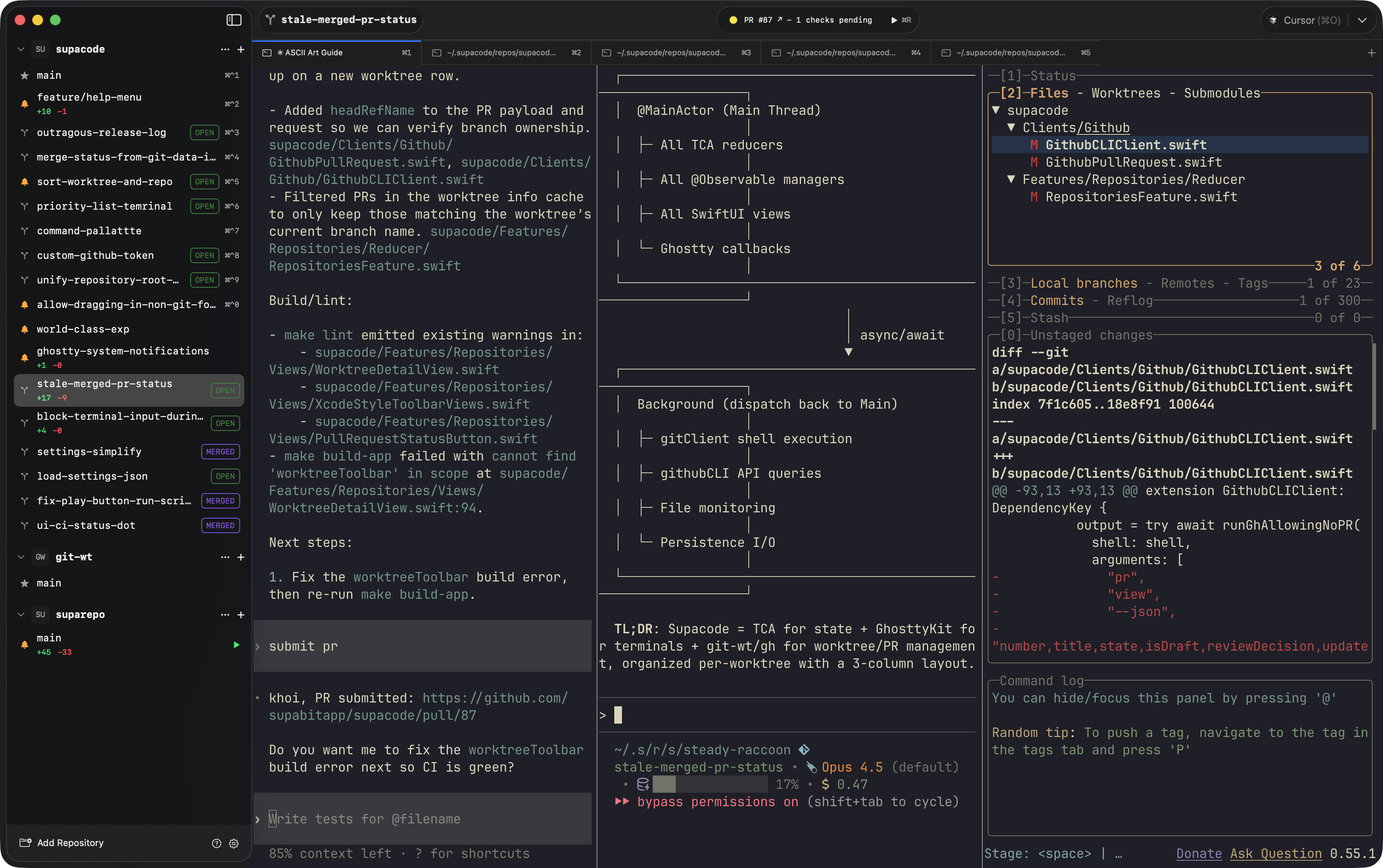
Actual screenshot of using supacode to develop supacode
Built different
Fully native
Built on libghostty. No Electron, no web wrappers. Pure macOS performance you can feel in every keystroke.
Bring your own agents
Run Claude Code, Codex, Opencode — any CLI agent, no translation layer. Your terminal, your rules.
Worktree isolation
Every agent gets its own git worktree. No conflicts, no stepping on toes. True parallel development.
GitHub native
Open PRs, review CI checks, resolve conflicts — all without leaving the terminal.
Source available
Read the code, report issues, and contribute on GitHub.
50+ agents
Run dozens of coding agents simultaneously. Each in its own isolated environment, all under one roof.
Buy once. Use forever.
A lifetime license with unlimited local worktree creations and one year of updates. No subscription, no automatic renewal.
Basic
$99USD / license
One person on one Mac.
Standard
$129USD / license
One person on two Macs.
$198 Save 35% compared with two Basic licenses.
Basic and Standard
- Move between Macs by deactivating a previous Mac
- Optional $59 renewal for the whole license
Team
$79USD / seat
One Mac per seat, minimum 3 seats.
- Team portal for seat assignment and reassignment
- Each seat gets its own license key
- Optional renewal through support
What counts toward the free trial?
Your first five successful local worktree creations across all repositories on this Mac. Deleting a worktree does not reset the count. Failed creations do not count, and SSH worktree creation stays free.
What happens after five creations?
Supacode asks for a license before creating another local worktree. Your existing worktrees and terminals remain usable. If you already use Supacode, you get five additional local creations when you first install the licensed version.
How do I activate or move my license?
For Basic and Standard, we email your license key after checkout. Paste it into Settings → License. Basic allows one active Mac and Standard allows two, both for one person. Team buyers use the license portal to assign seats and email each person their own key for one Mac. Deactivate a Mac in Settings → License to free its place; Team owners can also reassign seats in the portal.
Do I have to renew?
No. Keep using the versions you own forever. Your purchase includes one year of updates. Basic and Standard can renew for $59 USD per license for another year, with no automatic renewal. Contact support for Team update renewals. Basic and Standard owners can download included versions from the license portal.
Can I work offline?
Activation needs an internet connection. Every plan can use its saved license offline for versions it owns. Transfers, refunds, and other license changes take effect on a Mac after its next successful license refresh.